USER MANUAL · v1.4 · ENGLISH
Scale Monitor REST API
Operating instructions and configuration
1. Introduction
The Scale Monitor REST API enables seamless integration between Scale Monitor and your systems, offering flexible options to suit your data exchange needs. Whether you’re looking to retrieve data from Scale Monitor or receive weighing data directly into your system, we’ve got you covered.
1.1. Integration options
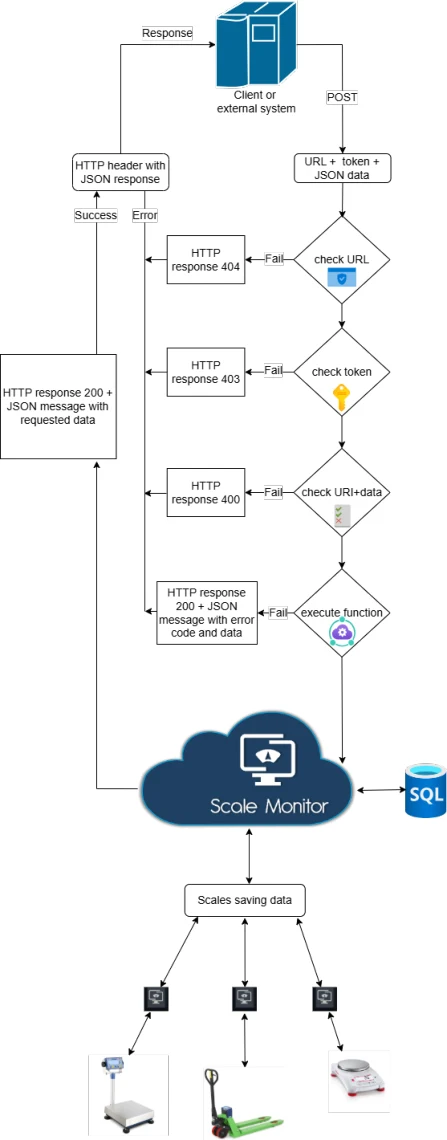
Your System Calls the Scale Monitor API
- Retrieve real-time or historical weighing data directly from Scale Monitor’s platform. • Access fully customized weighing data tailored to your operational requirements. • Leverage Scale Monitor’s robust data processing and storage capabilities to simplify your workflows.
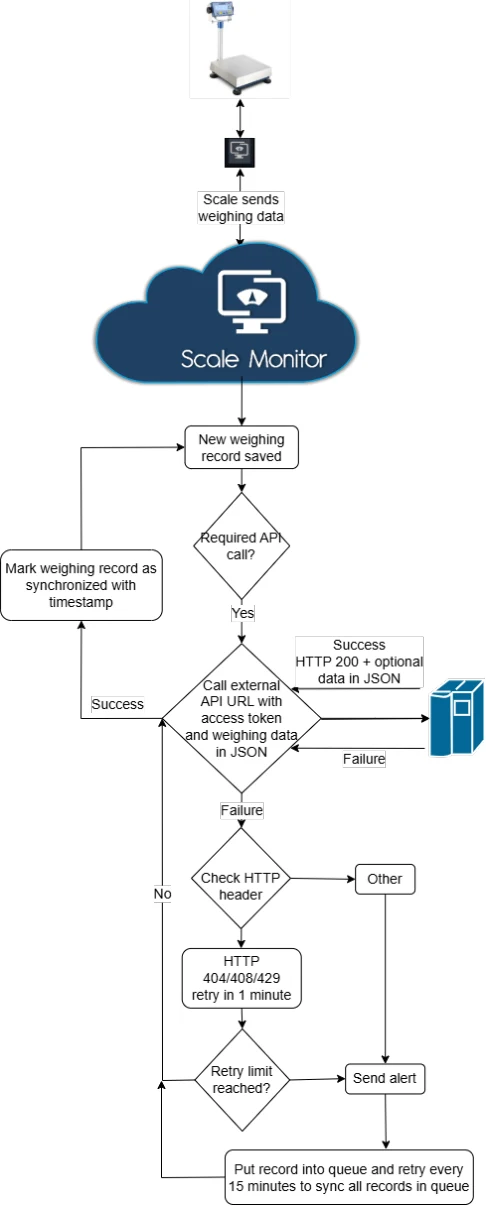
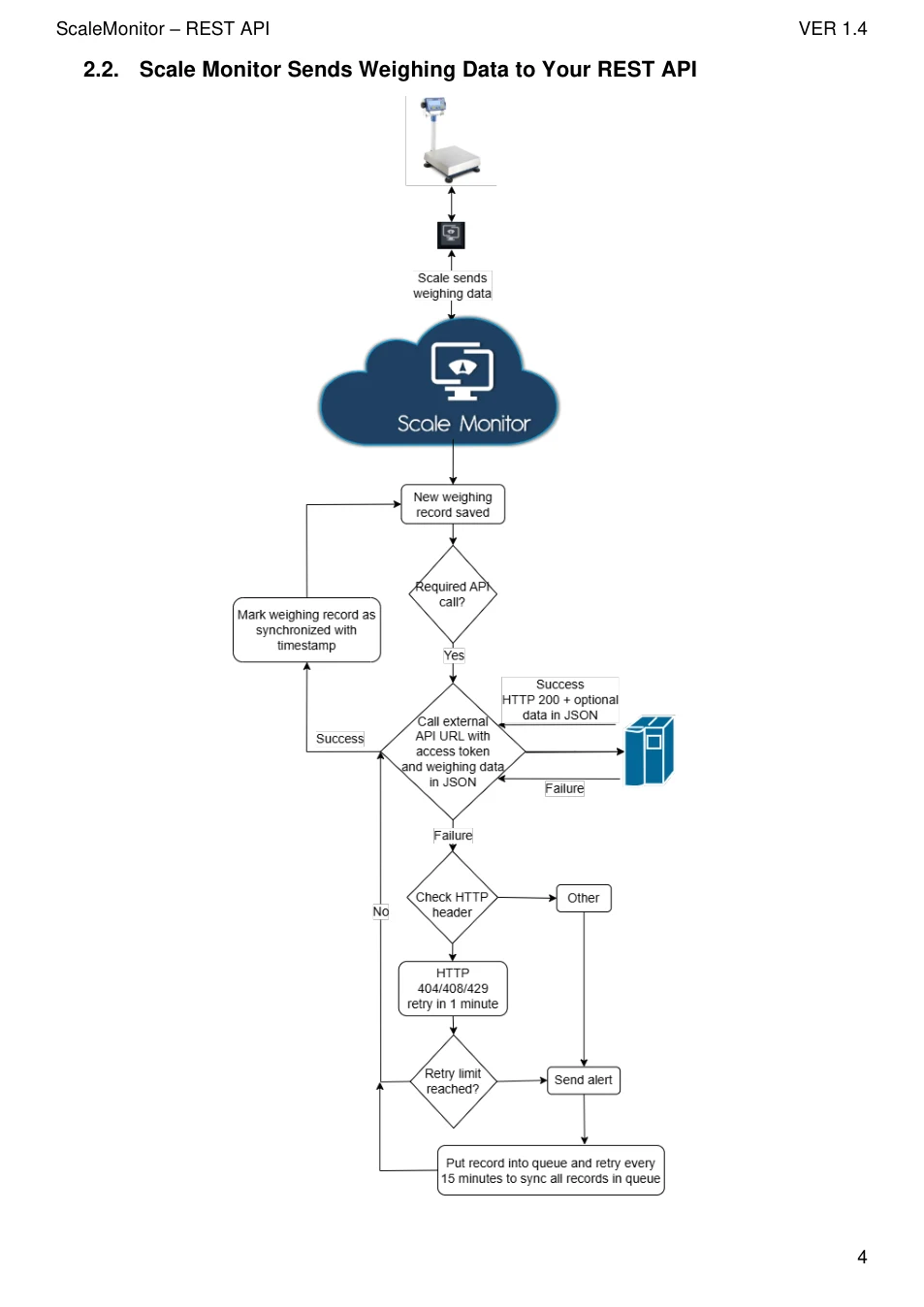
Scale Monitor Sends Weighing Data to Your REST API
- Configure Scale Monitor to push real-time weighing data directly to your web service. • Customize data triggers and delivery formats to seamlessly integrate into your existing systems. • Maintain complete control over how data is received and processed within your infrastructure.
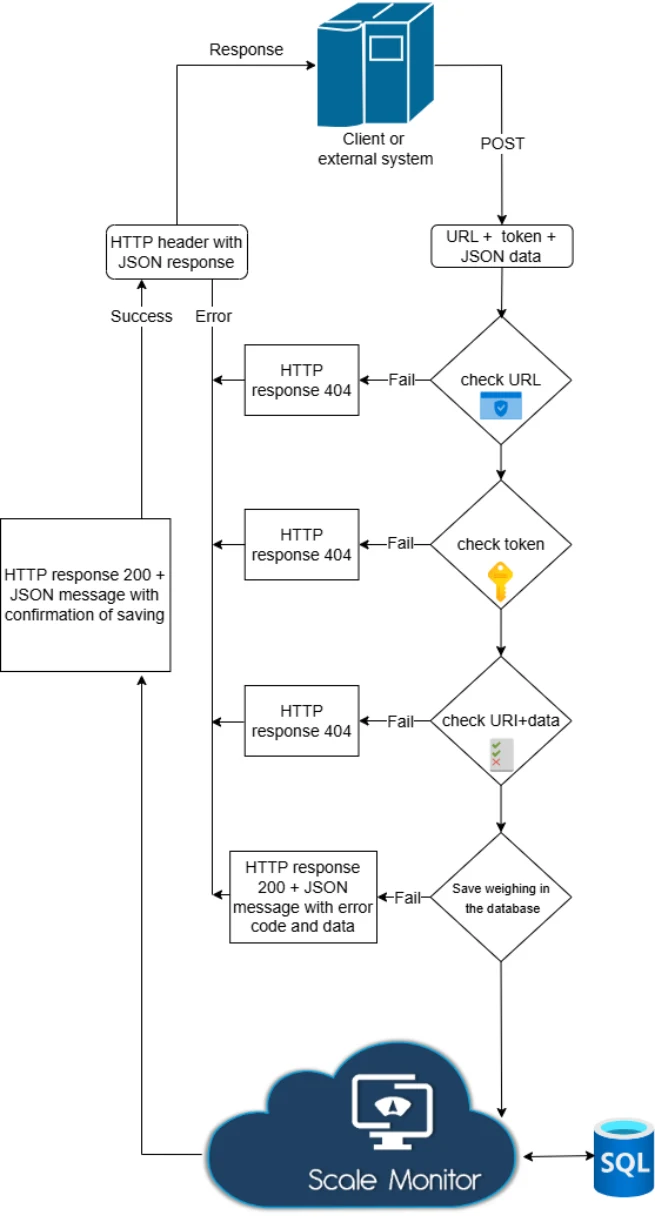
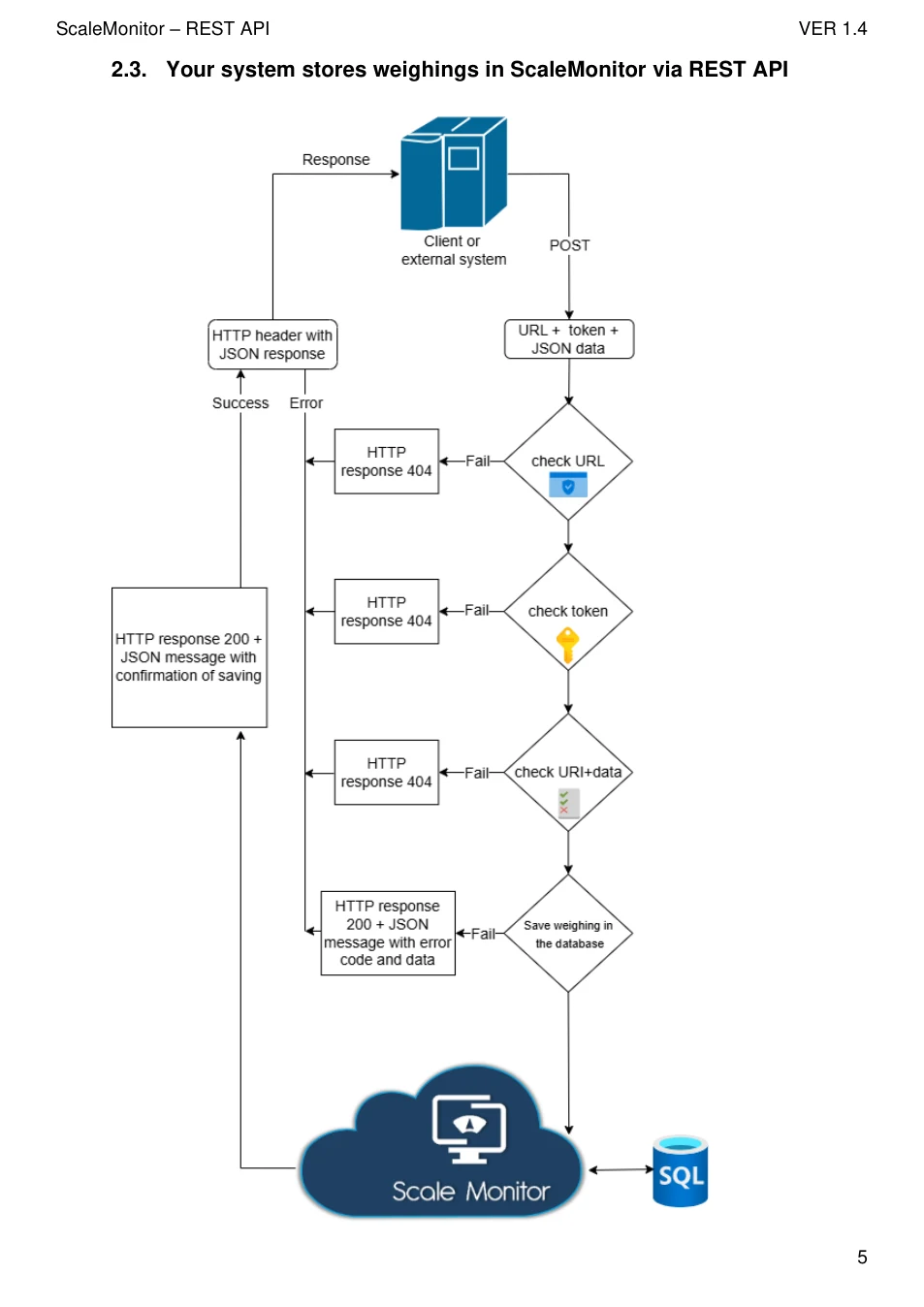
Your system stores weighings in ScaleMonitor via REST API
- Enables storing weighings in the ScaleMonitor cloud from your system.
1.2. Key benefits
- Flexibility: Choose the integration method that best fits your operational model. • Real-Time Communication: Enable instant data sharing between Scale Monitor and your systems. • Customization: Tailor data formats, triggers, and workflows to suit your business processes. • Cross-Compatibility: Works with any scale or weighing device, regardless of the manufacturer.
1.3. Use cases • Automatically synchronize weighing data with ERP, WMS, or LIMS systems. • Receive notifications and data updates in real-time for precise monitoring. • Simplify complex workflows with automated data sharing and synchronization.
View original page 3 — diagrams and layout
View original page 4 — diagrams and layout
View original page 5 — diagrams and layout
View original page 6 — diagrams and layout
| Code | Cause |
|---|---|
| 200 - Success | Successful response |
| 400 - Bad request | Invalid parameters or error |
| 401 - Unauthorized | Invalid authentication credentials |
| 403 - Forbidden | Invalid permissions |
| 404 - Not found | Endpoint does not exist |
4. API Tokens
ScaleMonitor REST API uses standard JWT tokens which are provided upon request. The token must be sent with the request via an Authorization header of type Bearer.
5. API methods 5.1. Get weighings
Endpoint
POST /Api/ScaleMonitor/ScaleMonitorApi/getWeighings/
Description
Retrieves a list of scale monitor weighings based on the provided filters.
Request
Headers
| Header | Value |
|---|---|
| Content-Type | application/json |
| Authorization | Bearer YOUR ACCESS TOKEN |
POST parameters (JSON BODY)
| Parameter | Type | Description |
|---|---|---|
| dateTimeFrom | string (YYYY-MM-DD HH:mm:ss) | Start date filter for weighings |
| dateTimeTo | string (YYYY-MM-DD HH:mm:ss) | End date filter for weighings |
| weighingNumber | int | Specific weighing number |
| weighingNumberFrom | int | Start range for weighing numbers |
| weighingNumberTo | int | End range for weighing numbers |
| scaleInventoryNumber | string | Inventory number of the scale |
| scaleTitle | string | Searches scale titles for this substring |
| scaleUuid | string | Unique identifier of the scale |
| scaleId | int | ID of the scale |
View original page 7 — diagrams and layout
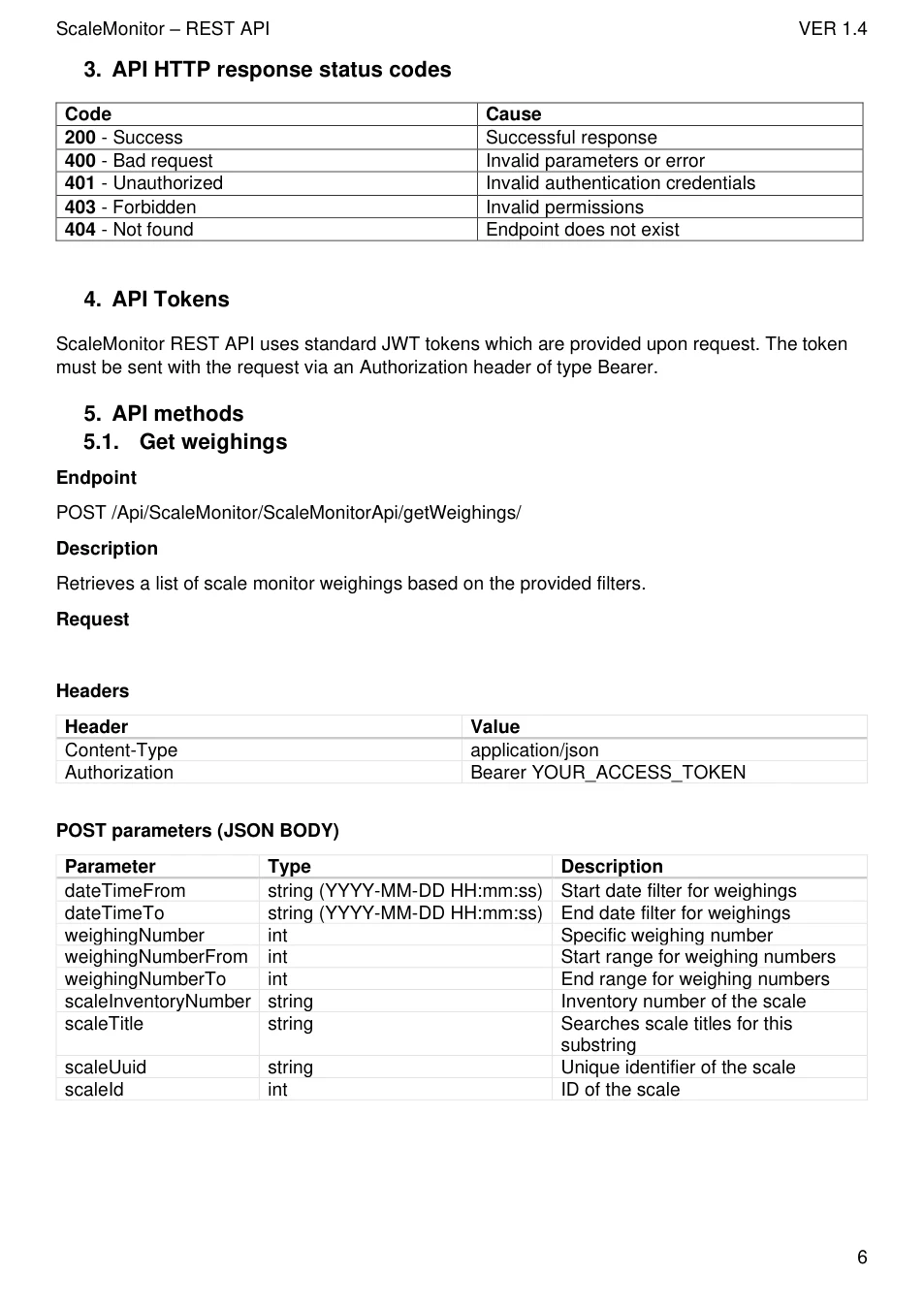
{ "dateTimeFrom": "2025-03-01", "dateTimeTo": "2025-03-25", "scaleId": 123 }
Response
Success response ( 200 OK )
{ "data": { "numberOfWeighings": 1, "weighings": [ { "weighingNumber": 1432, "weighingDateTime": "2025-03-22 11:39:58", "gross": "1600 kg", "net": "0 kg", "tare": "0 kg", "stability": 0, "scaleData": { "title": "Ranger 3000", "inventoryNumber": "D23541", "uuid": "db33e782-45a3-11ef-9aad-f9b59ffd187f", "id": 123 }, "additionalParameters": [ { "parameterName": "Material", "value": "Nail", "uuid": "99703ee3-f8fe-11ef-8d03-00155de9e731" }, { "parameterName": "Material ID", "value": "SN94735", "uuid": "96703ee3-f8fe-11ef-8d03-00155de9e731" } ] } ] }, "error": 0 }
Error response ( 400 Bad Request or 500 Internal Server Error )
{ "error": 1, "errorMessage": "Failed getting weighings: Internal server error" }
View original page 8 — diagrams and layout
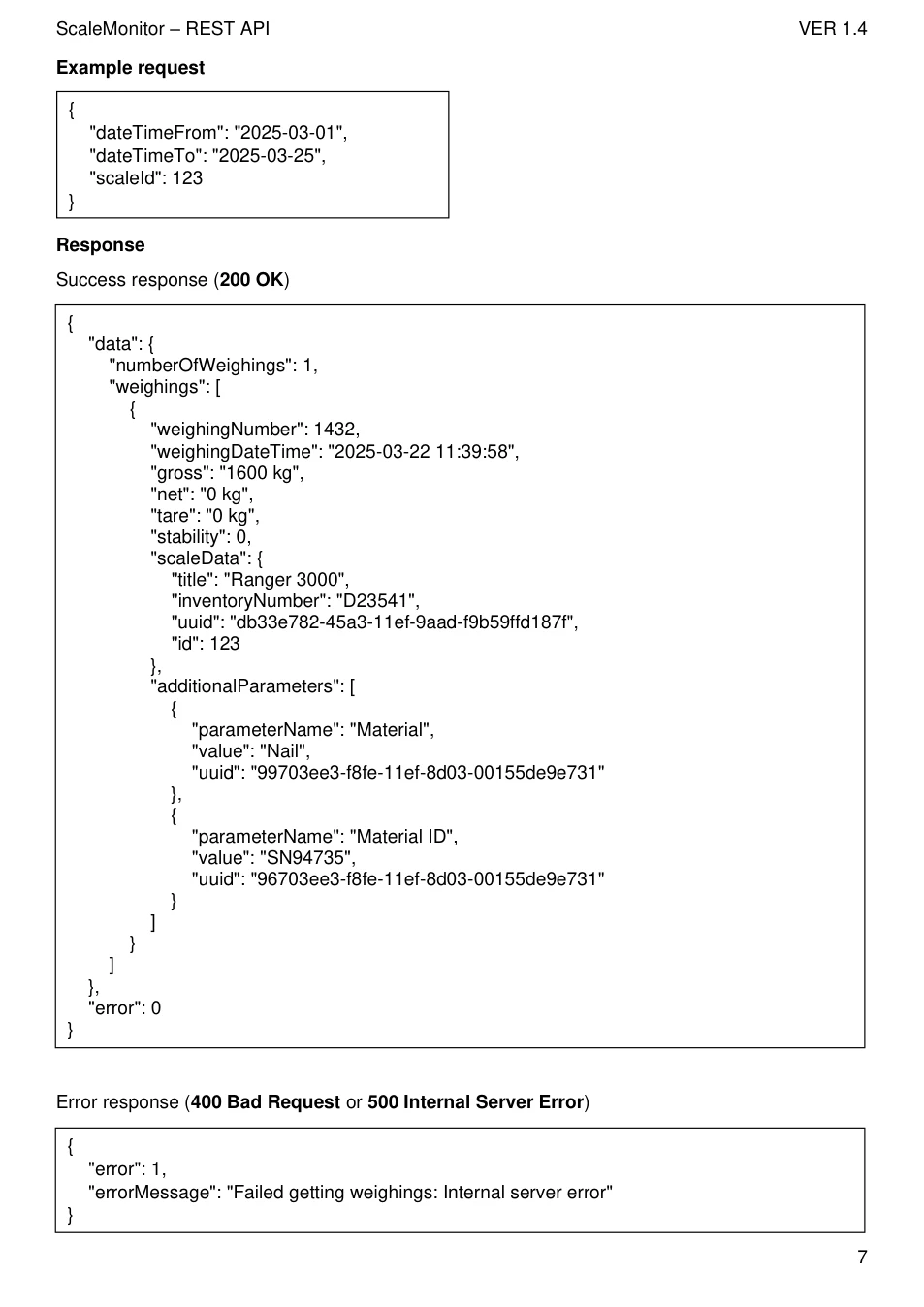
Endpoint
POST /Api/ScaleMonitor/ScaleMonitorApi/saveWeighing/
Description
Save weighing in the ScaleMonitor database.
Request
Headers
| Header | Value |
|---|---|
| Content-Type | application/json |
| Authorization | Bearer YOUR ACCESS TOKEN |
POST parameters (JSON BODY)
| Parameter | Type | Description |
|---|---|---|
| scaleId | int | ID of the scale |
| checkForDuplicates | int | Is it checked before saving whether the weighing with the given data already exists? |
| constantForDuplicate | string | Constant that is checked to see if the weighing exists. |
| duplicateValueCheck | string | Value that is checked to see if the weighing exists. |
| parameters | List | A list of parameters with a constant and value. |
Example request
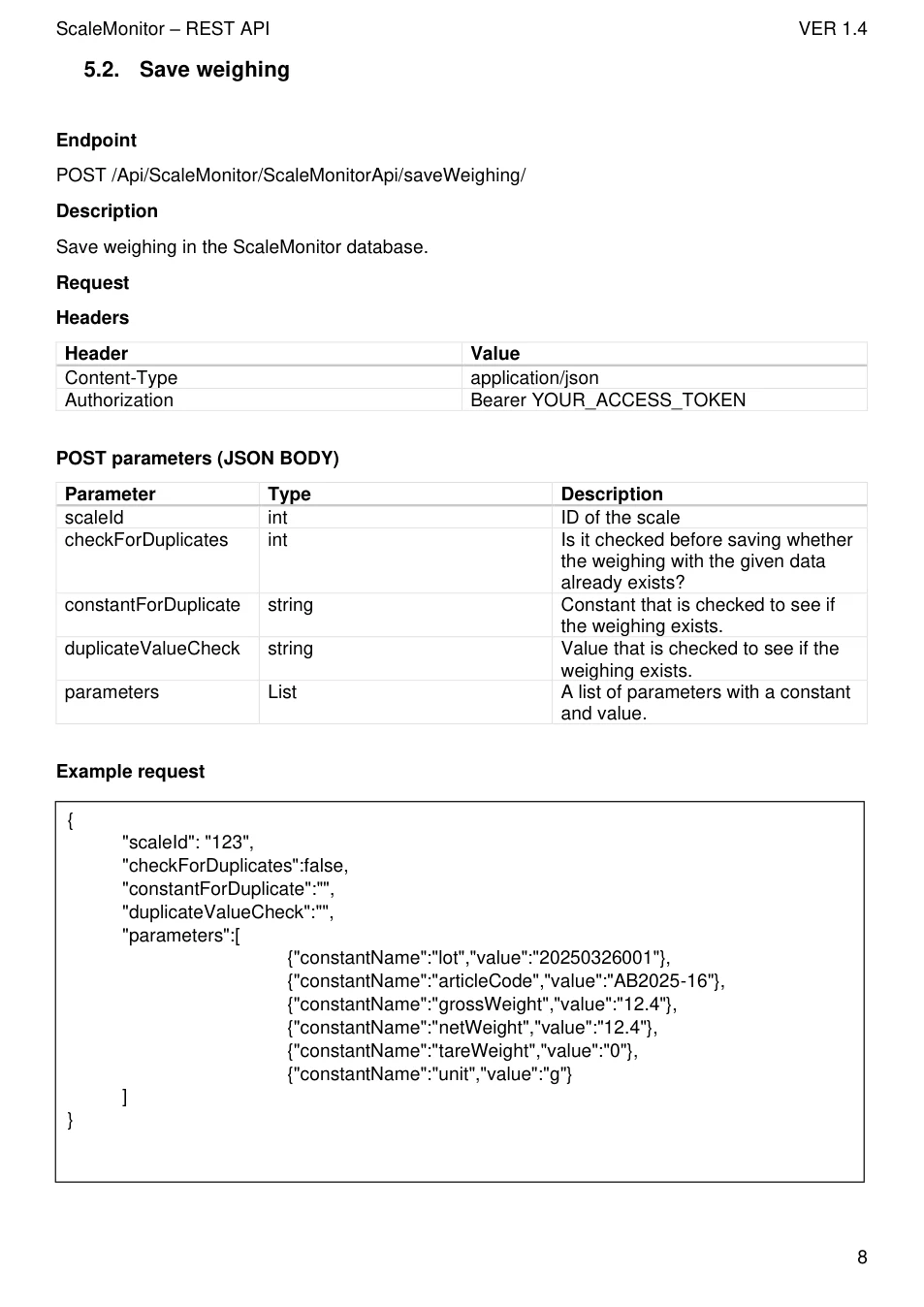
{ "scaleId": "123", "checkForDuplicates":false, "constantForDuplicate":"", "duplicateValueCheck":"", "parameters":[
{"constantName":"lot","value":"20250326001"}, {"constantName":"articleCode","value":"AB2025-16"}, {"constantName":"grossWeight","value":"12.4"}, {"constantName":"netWeight","value":"12.4"}, {"constantName":"tareWeight","value":"0"}, {"constantName":"unit","value":"g"} ] }
View original page 9 — diagrams and layout
Success response ( 200 OK )
{ "data": { "text": "Weighing saved successfully", "weighingNumber": 253, "duplicateValueCheck": "", "weighingAdded": true }, "error": 0 }
Error response ( 400 Bad Request or 500 Internal Server Error )
{ "error": 1, "errorMessage": "Failed while saving weighing: E:Error while retrieving ScaleMonitor data }
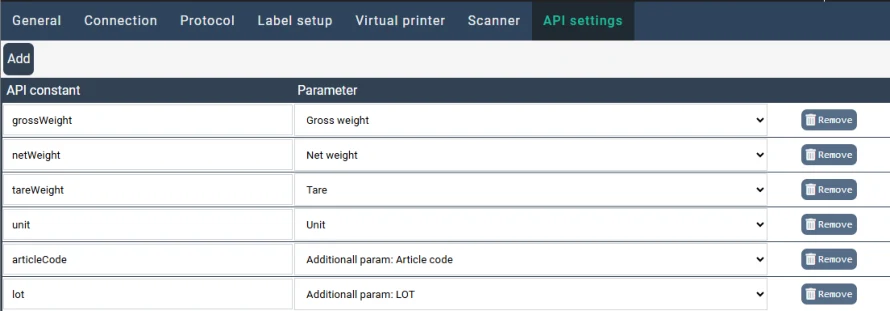
Constants for the API are set in ScaleMonitor under the 'API settings' tab. In the table itself, you have the option to enter an API constant, which represents the name of the constant you send to the API. In the 'parameter' column, select the parameter that this constant will represent. Parameters can be static (e.g., gross weight, net weight...) or dynamic, such as additional parameters (e.g. LOT, Article code) that you define yourself.
View original page 10 — diagrams and layout
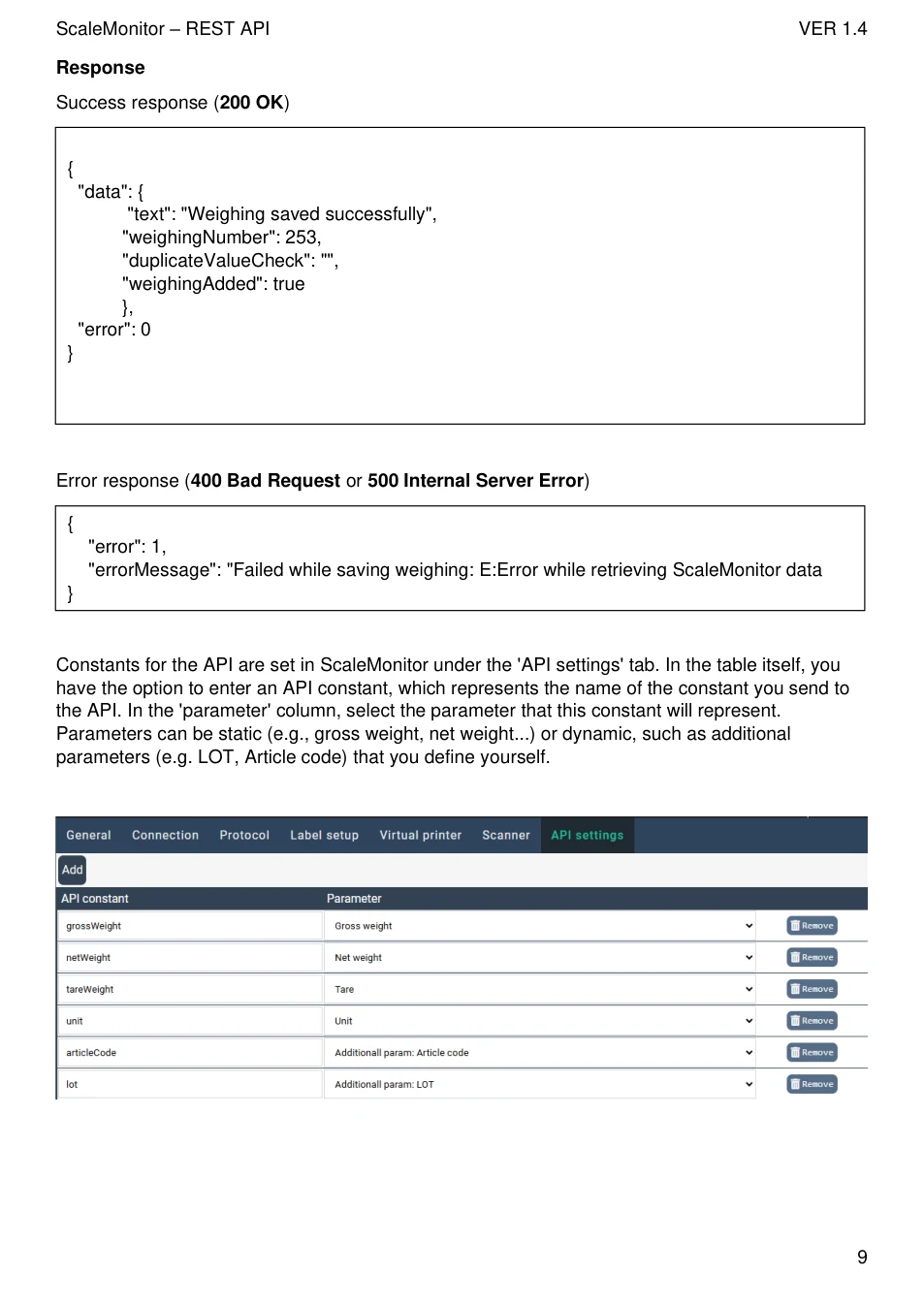
5.3. Importing database entries with API Endpoint
POST /Api/DynamicEntityList/DynamicEntityListApi/insertDatabaseValue/
Description
Imports database rows into the desired database.
Request
Headers
| Header | Value |
|---|---|
| Content-Type | application/json |
| Authorization | Bearer YOUR ACCESS TOKEN |
POST parameters (JSON BODY)
A JSON object, where the title is the code of the database, inside of the object is an array of database rows, each row has the parameter code as the title and the value as the body.
There is no limit to the number of rows and databases that can be inserted into at once.
Example request
{ "Products": [ { "ID": "2025001", "Title": "Screw" }, { "ID": "2025002", "Title": "Bolt" } ] }
Response
Success response
{ "msg": "Database values have been inserted successfully!", "error": 0 }
View original page 11 — diagrams and layout
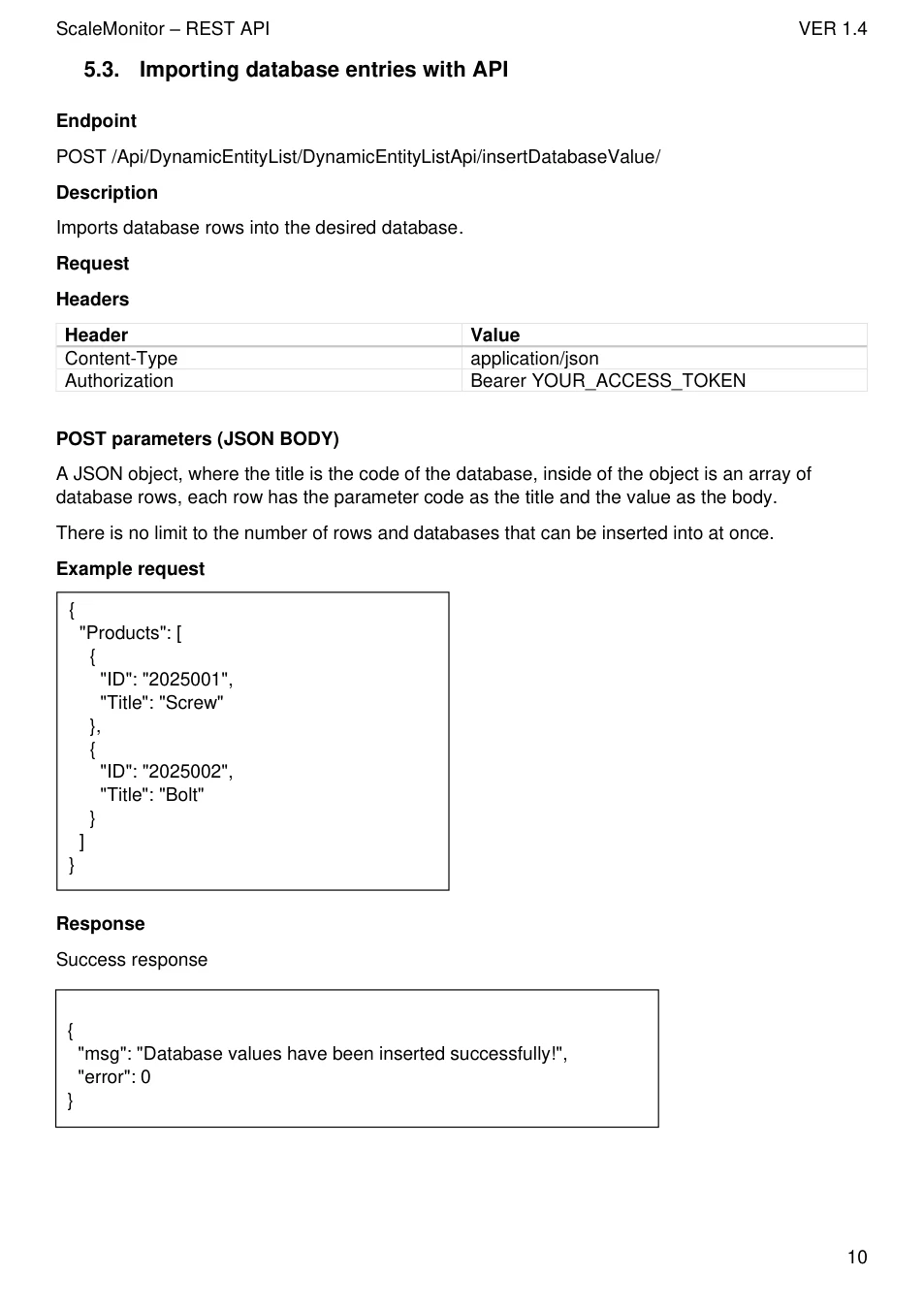
{ "error": 1 "errorMessage": "Error inserting database values: Attribute has not been found!Internal server error" }
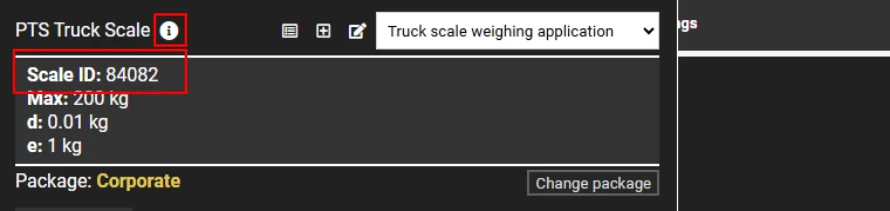
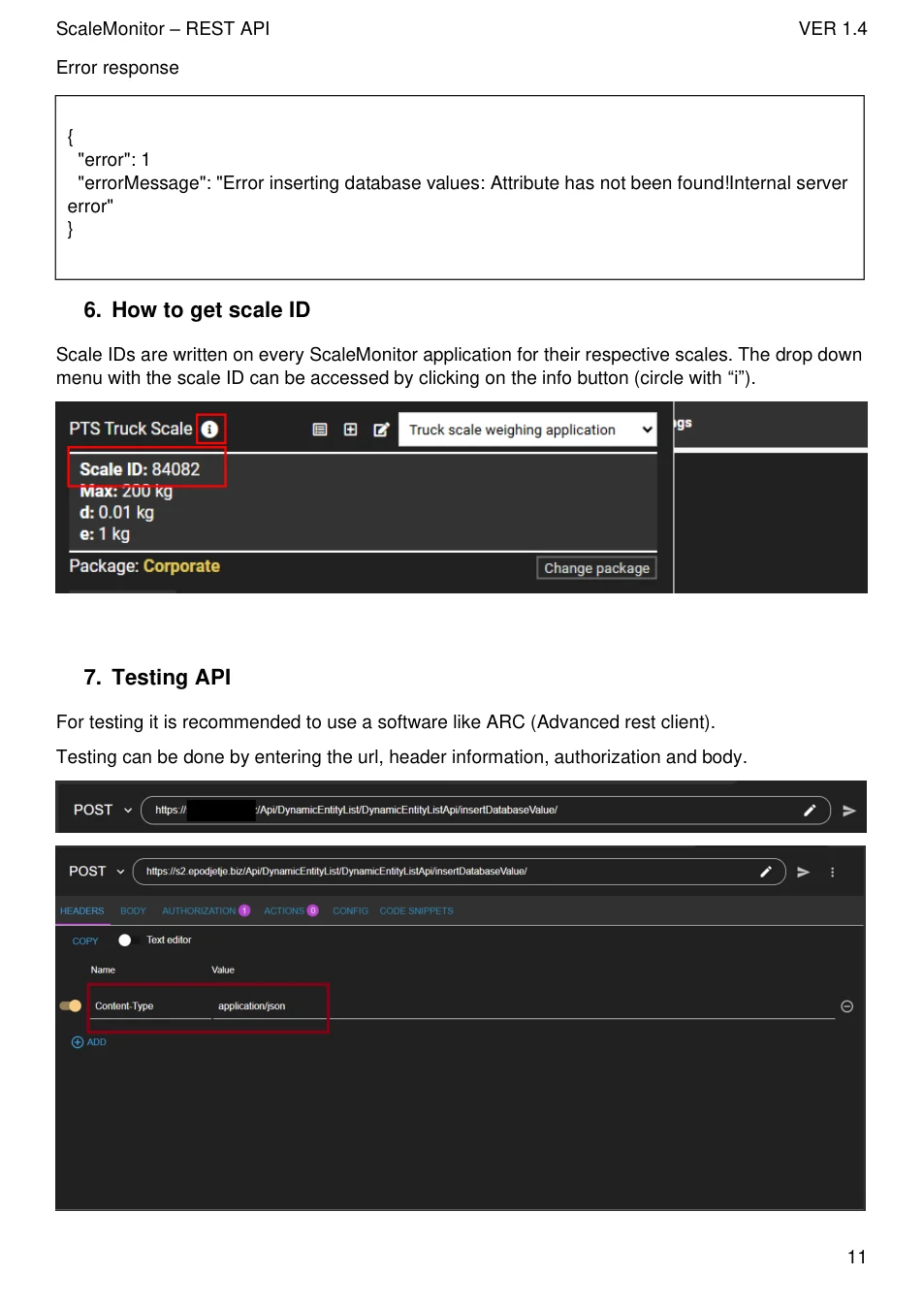
6. How to get scale ID
Scale IDs are written on every ScaleMonitor application for their respective scales. The drop down menu with the scale ID can be accessed by clicking on the info button (circle with “i”).
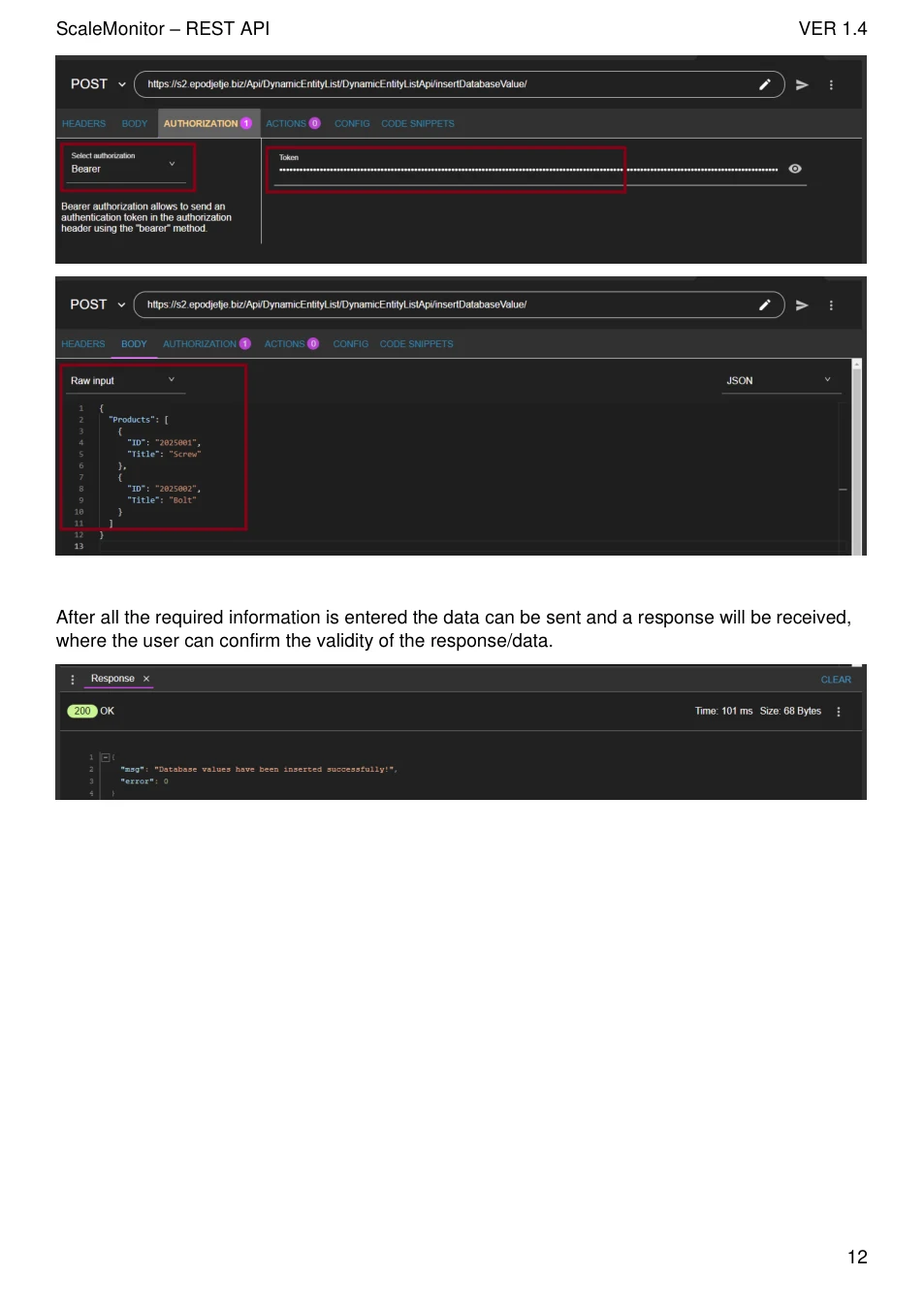
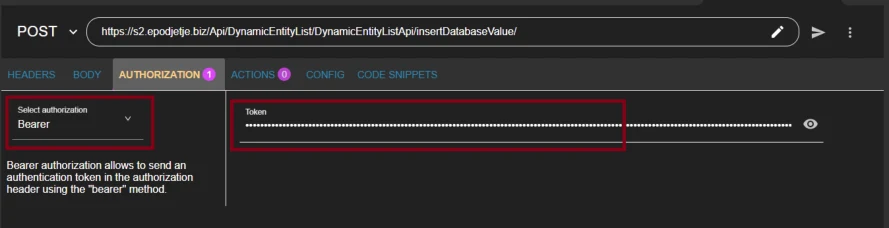
7. Testing API
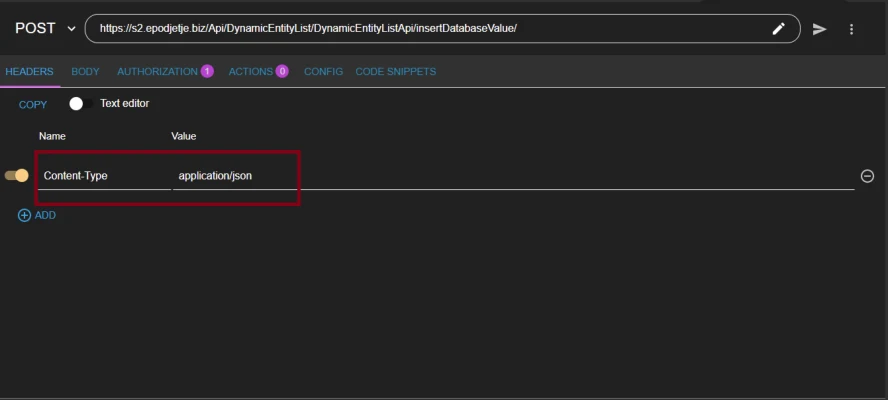
For testing it is recommended to use a software like ARC (Advanced rest client).
Testing can be done by entering the url, header information, authorization and body.

View original page 12 — diagrams and layout
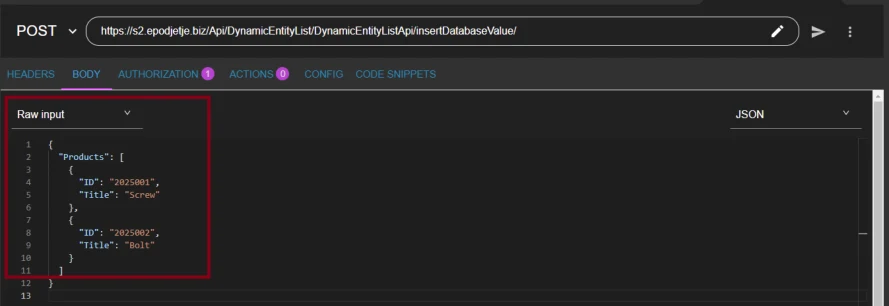
After all the required information is entered the data can be sent and a response will be received, where the user can confirm the validity of the response/data.

View original page 13 — diagrams and layout