
Operators know the next step
Combine the target, tolerance, product data and required inputs on one screen. Adapt the interface and step sequence to your workflow.
Neutron NT combines weighing electronics, a 7-inch touchscreen, applications and production connectivity. Operators select a product, follow a workflow, weigh and save the result in one place. Less additional computer equipment, less manual data entry and a clearer view of the task.
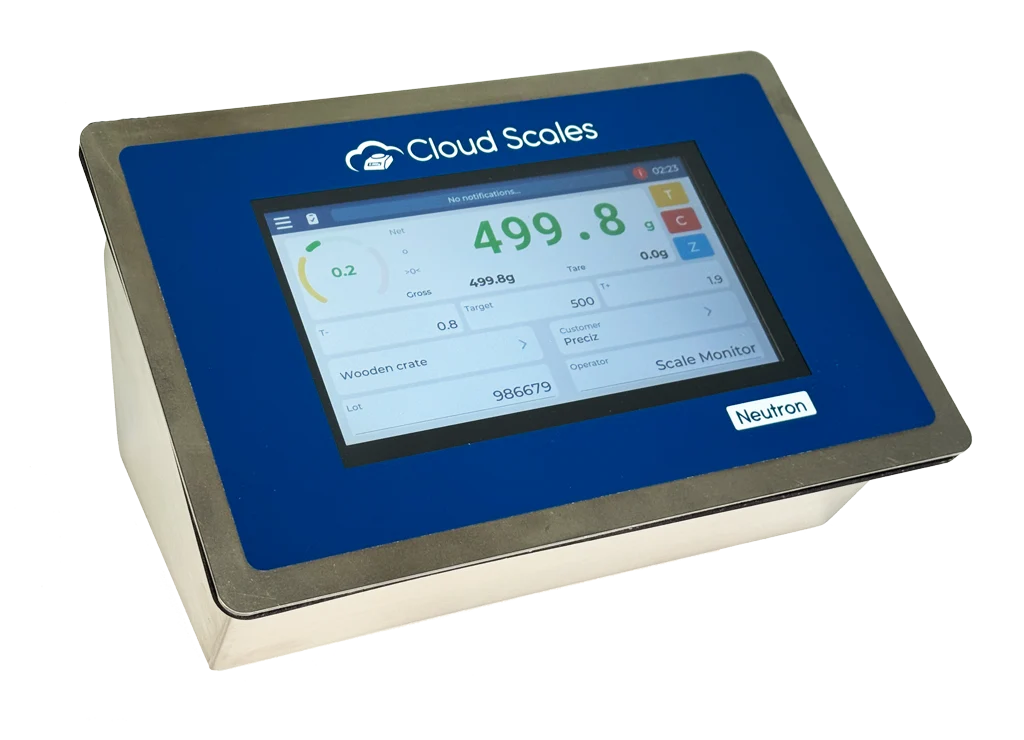
Combine the target, tolerance, product data and required inputs on one screen. Adapt the interface and step sequence to your workflow.
Link weight to a product, batch, order or operator during weighing. Use the record for printing or transfer to your system.
Bring weighing, the user interface and process connections together in one terminal. A local weighing application does not require a separate computer.
Use the Scale Monitor connection for remote viewing, settings and diagnostics. Resolve some issues without waiting for a site visit.
Bring large numbers, target weight, tolerances and required fields together in a display for the specific workstation.
Create custom fields, databases and selections for products, batches, orders or operators. Show the information operators need for each task.
NT applications always run locally. If the internet connection fails, local work remains on the terminal; remote management and cloud transfer require a connection.
With an internet connection, NT automatically stores data in the Scale Monitor cloud. After an outage, it synchronizes when the connection returns.
The AISI 304 stainless-steel enclosure with IP67 protection is suitable for production stations in food, pharmaceutical and other industries.
Operators follow the target quantity and preparation steps on the screen. Connect weighing to digital signals for dosing or other process equipment.
Display the target weight and tolerances or use a piece-counting application. Link results to product data and subsequent processing.
A barcode scanner helps select data, while a printer produces a record or label. Weight and supporting information are captured in the same workflow.
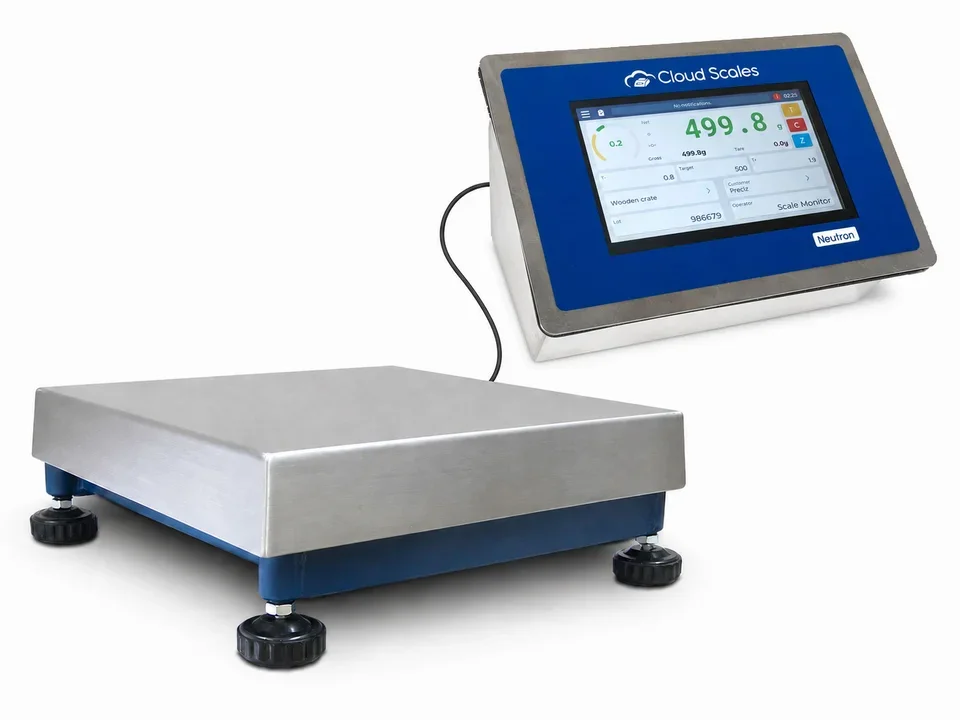
Connect load cells directly to NT. Operators complete weighing on the terminal, and the result is available for records, printing or exchange with a PLC, SCADA, MES, ERP or WMS system. We adapt the interface, data fields and transfer event to your process.
Operators select a product, order or other prepared content; data can also be entered with a supported scanner.
View weight, targets and tolerances on the screen. Supported applications and digital signals guide the next step.
Link the measurement to task data and produce a printout or label on a connected printer.
Bring the record into Scale Monitor or the agreed data flow in your production or business system.
Include product selection or identifier entry in the weighing workflow and reduce manual typing.
Print the weighing record during the task. Adapt the printout and printer connection to your chosen workflow.
Connect six inputs and six outputs to state detection, start/stop signals, tolerance checks and dosing.
Bring measurements and commands into your MQTT environment. MQTTS enables an encrypted connection, with TLS and mTLS support.
GET and POST requests connect NT to applications and servers. Custom certificates and an optional token are supported.
Use live two-way WS/WSS communication or TCP/IP in client or server mode.
Integrate weighing with a PLC, HMI, SCADA or MES system. Use digital signals to connect to process control.
Applications, traceability, remote viewing and terminal management with an internet connection.
Bring weighing data into your AWS services using supported protocols and certificates.
Connect weighing to Microsoft Azure for further data processing.
An MQTT broker for exchanging measurements and commands in your IoT architecture.
Integrate NT into an EMQX MQTT environment and agreed data flows.
An MQTT broker for your own or local infrastructure and custom applications.
Bring data flows into the infrastructure you manage yourself.
Connect weighing records to orders, production, warehouse operations or a quality system.
Integrate NT measurements, commands and settings into your own application. Connect weighing functions to your existing user environment.
CSCP manualA PLC, HMI or SCADA system receives weight and status and uses supported commands. Modbus RTU operates over RS-232 or RS-485; Modbus TCP uses Wi-Fi or optional Ethernet.
Modbus RTU/TCP manualThe built-in OPC UA server connects NT to a PLC, SCADA, MES or your own application. It supports unsecured None / Anonymous mode and signed, encrypted Basic256Sha256 / SignAndEncrypt communication with username and password authentication.
OPC UA manualChoose OPC UA when connecting to an OPC UA client in SCADA, MES, a PLC or your own application. Dosing, weight-checking and inventory measurements go directly to your production management system.
With classic Modbus, an integrator maps registers and their meaning. OPC UA provides a structured data model and supported methods that a client can browse. This makes it easier to connect equipment from different manufacturers.
Signing, encryption and user authentication protect data exchange. OPC UA combines data, its meaning and security mechanisms; PROFINET and other process connections can retain their roles in machine control.
WPA2/WPA3-PSK and Enterprise with EAP-TLS or EAP-TTLS support integration into a compatible business network.
HTTPS, MQTTS, WSS and secured OPC UA provide data transfer using supported security mechanisms.
Secure Boot checks trusted firmware, while Flash Encryption protects data in internal memory.
MID and PIN provide identification; OTA updates use HTTPS or the Cloud Management Platform.
Integrated AI monitors the signal and drift of individual load cells to help identify the need for inspection, recalibration or replacement. Remote viewing and diagnostics make maintenance easier to plan and help reduce unnecessary site visits.
Check the display, enclosure, weighing electronics, digital signals, connections and power supply in one place. All specifications are shown directly so you can quickly find what you need for your workstation.
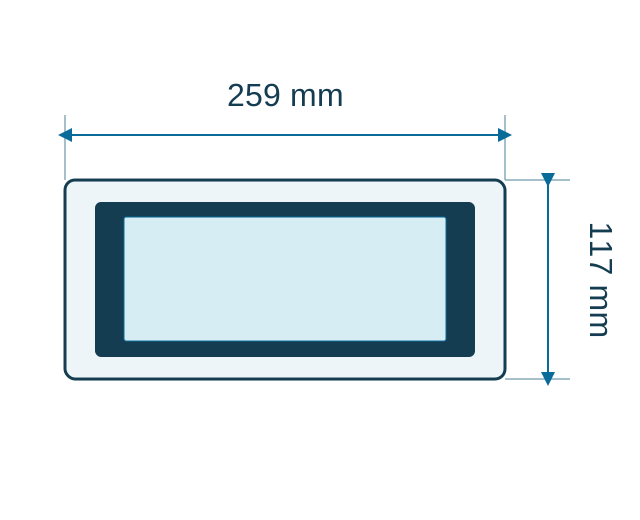
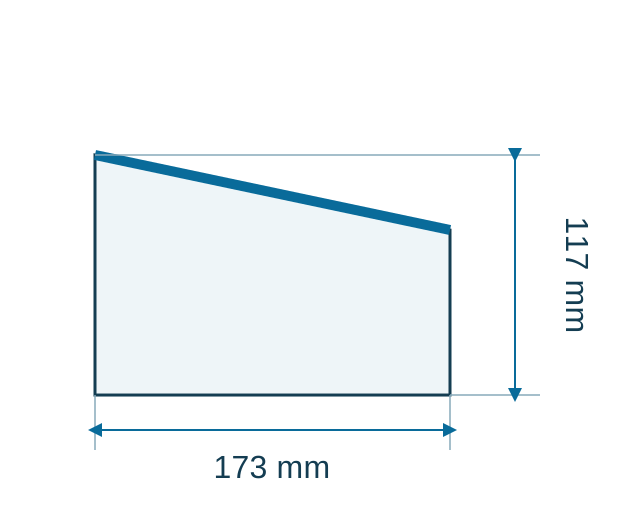
We adapt the PCB, enclosure, connectors and wiring to your product requirements.
Define the local workflow, I/O logic, data formats, protocols and special weighing functions.
Custom labels, a branded cloud and an optional Scale Monitor environment under your brand are available.
Choose NT when operators need a display and a local application at the weighing workstation. NS provides compact weighing electronics without a display for integration with an external interface. CloudScaleLink connects an existing indicator to a digital environment.
Tell us what you weigh, which data accompanies each measurement and which scanners, printers and systems you want to connect. We help choose the version, interface and workflow for your workstation.
Yes. Neutron NT applications always run locally. An internet connection is needed for Scale Monitor management and cloud storage. After an outage, data synchronizes when the connection returns.
Not for a local weighing application. NT has a built-in 7-inch touchscreen and runs applications locally. Choose additional equipment and connections according to your workflow requirements.
Up to 4 weighing channels with independent settings. The ADC is multiplexed, so it converts one channel at a time. We adapt speed and filtering to your process.
Yes. NT supports barcode scanners, POS and label printers, and other compatible equipment. We match the interface, input method and printout to the chosen workflow.
Yes. Modbus RTU/TCP and a built-in OPC UA server are available. OPC UA supports unsecured mode and Basic256Sha256 / SignAndEncrypt with username and password authentication.
NT has an AISI 304 stainless-steel enclosure with IP67 protection. The datasheet specifies 259 × 173 × 117 mm (W × D × H) and a 220–240 V AC supply for CS-NT-WB.
Choose NT for a workstation where operators need a built-in display and a local application. NS suits compact integration of weighing electronics when an external device or your own system provides the interface and control.
Describe your weighing workflow and the connections you need. Together, we select the right Neutron NT, connected equipment and operator workflow.



